

Photo to Canvas: The Complete Printing Guide
That favorite shot deserves more than a small screen. Learn how its light, edges, and crop will shape the finished piece before you order.
Key Takeaways
- Photo to canvas means printing a digital image onto woven canvas and stretching it over a wooden stretcher, often as a gallery wrap where the image continues around the edges and needs no separate frame.
- Choose for print, not screen: pick a well-lit, sharply focused photo, check it at 100%, and aim for enough pixels for the size - many photos at 100 to 150 pixels per inch print well on canvas at normal viewing distances.
- Leave breathing room at the edges, because roughly the outer two inches fold around the sides in a gallery wrap; a mirror wrap or solid-color border can help when a subject sits near the edge.
- Set the crop yourself and check the proof closely for cut-off subjects, wrap, shape, and color, since the proof is the last cheap moment to catch a mistake.
- Ask before ordering whether someone will check resolution against size, what materials and depth are used, whether it arrives ready to hang, and what the written process is if it arrives damaged.
The best photograph you own is probably sitting in a phone gallery or a forgotten folder, viewed at the size of a postage stamp. Printing that photo on canvas turns it into something else entirely: a piece of wall art with texture, scale, and presence that a screen never gives it. Photo to canvas is also one of the few kinds of wall art that is guaranteed to be personal — nobody else has your photograph of your people, your trip, or your dog — the last of which gets its own treatment in our guide to pet portrait ideas.
This guide explains the whole path end to end: how to choose a photo that will print well, what actually happens between uploading a file and hanging a finished piece, the decisions you will be asked to make along the way, and the questions worth asking any printer before you hand over a file you care about.
What "photo to canvas" actually means
A canvas print starts as a digital image file. The image is printed with inkjet technology onto a woven canvas fabric — usually cotton or a cotton-polyester blend — and the printed canvas is then stretched by hand or machine over a wooden frame called a stretcher. In a gallery wrap, the image continues around the edges of the frame, so the finished piece needs no separate frame and is ready to hang as it is.
That construction is what gives canvas its character. The weave adds a fine texture that softens the image slightly, the matte surface produces almost no glare, and the depth of the stretcher lifts the piece off the wall like a painting. It is a forgiving, warm medium — which is exactly why it suits personal photographs so well. You can read more about the format itself in our guide to canvas prints.
Choosing a photo that prints well
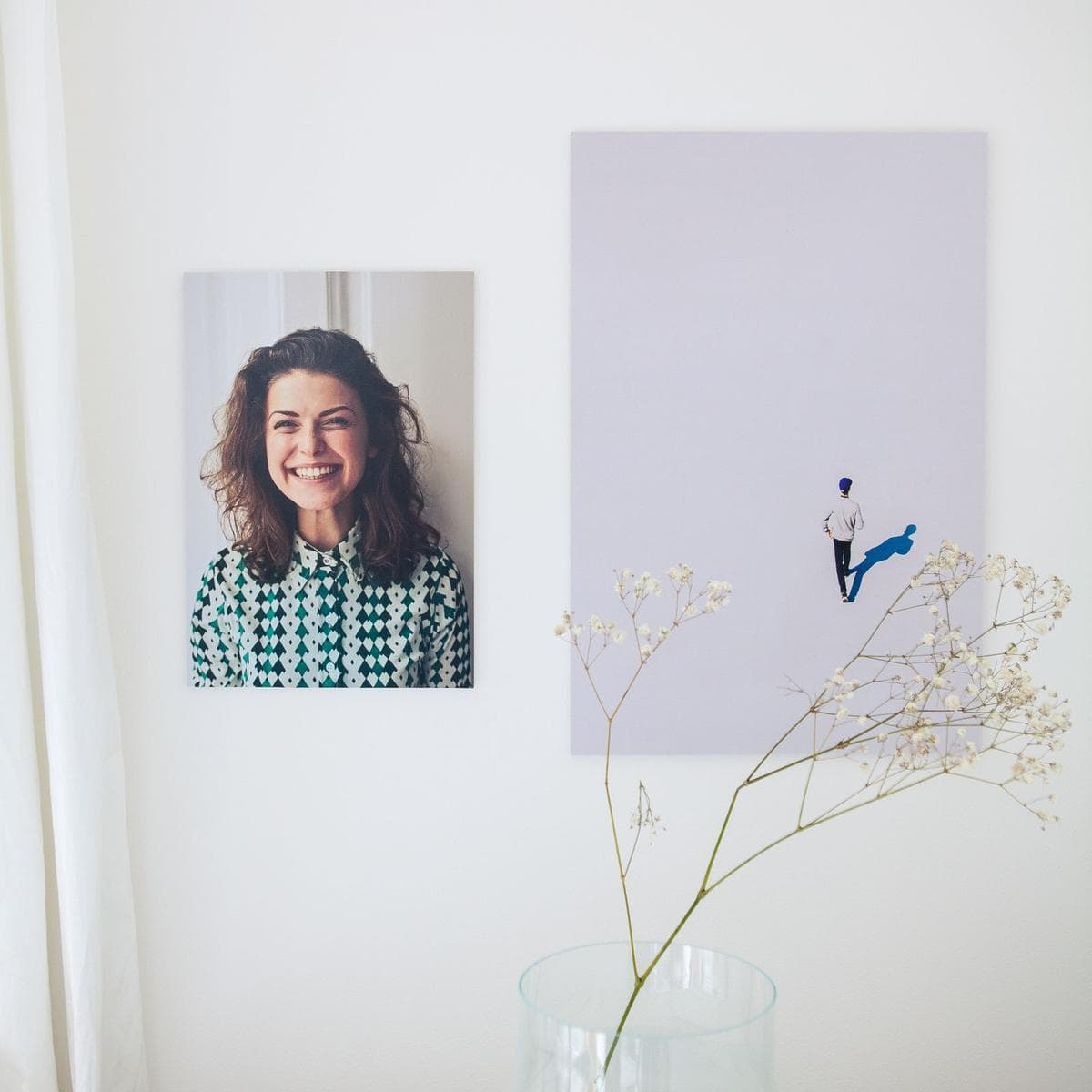
Most disappointment with photo printing is decided before the order is placed, at the moment the photo is chosen. A picture that looks wonderful on a bright phone screen can fall apart at two feet wide, which is why printing phone photos large gets its own careful treatment elsewhere in this series. Four things matter most — the same traits that mark out the best photos for canvas prints.
Light and sharpness come first
Enlargement magnifies everything, including flaws. A photo that is slightly soft, taken in dim light, or saved with heavy compression will show it at wall size. The photos that print best are usually the ones taken in good light — daylight, a bright room, a well-exposed shot — with the subject clearly in focus. Zoom in to 100% on your screen before you commit: if faces or key details look fuzzy or blotchy there, they will not improve on canvas.
Resolution decides how big you can go
The useful rule of thumb is pixels per inch at the finished size. Divide the photo's pixel dimensions by the inches you want to print: a 3,000-pixel-wide image printed 30 inches wide gives 100 pixels per inch. Traditional photo printing aims near 300 pixels per inch, but canvas is kinder — the weave hides fine grain, and wall art is viewed from several feet away rather than held in the hand. Many photos in the 100–150 pixels-per-inch range print perfectly well on canvas at normal viewing distances. Below that, the honest options are to print smaller or choose a different photo. Any reputable printer will flag a file that is too small for the size you picked — if nobody checks, that is information in itself.
Mind the edges: the wrap takes its share
In a gallery wrap, roughly the outer two inches of the image fold around the sides of the stretcher. Anything important sitting near the edge of your photo — a face, a horizon, a signature on a scanned painting — risks bending around the corner. Choose photos with breathing room around the subject, or plan to use one of the other edge treatments described below.
Color behaves a little differently on canvas
Canvas tends to soften contrast and fine detail slightly compared with a glossy photo print. Bold, well-lit images with clear color hold up beautifully; very dark or very subtle images can lose their mood. If your favorite shot is a moody one, it is worth brightening it a touch before printing — a small adjustment, made deliberately, beats a surprise.
Cropping: the quiet decision that changes the photograph
Photographs rarely arrive in the exact shape of the print you want. A phone photo is a tall rectangle; many print sizes are not. When the shapes differ, something has to give: either the image is cropped to fill the frame, or it is printed with borders to preserve all of it. Automatic cropping makes this decision blindly, and it makes it badly — heads drift toward edges, horizons slide, the interesting third of the picture disappears. When you order, take the moment to set the crop yourself, or check the one the proof proposes. The right question is not "which crop loses the least?" but "which crop is the photograph about?" — the answer is usually the one that keeps the subject, and the space the subject is looking or moving into, comfortably inside the frame.
Photo to canvas: the decisions you will make at order time
Ordering a photo-to-canvas print is mostly a short series of choices. None of them are traps, but each changes the finished piece.
Size and orientation
Start from the wall, not the file — then check the file can support the size. A piece above a sofa generally wants to span a generous share of the sofa's width; a hallway portrait can be smaller and more intimate. Match the orientation to the photograph's natural crop rather than forcing a landscape photo into a portrait frame and losing the sides.
Edge treatment
There are three common ways to handle the wrap. An image wrap continues the photograph around the edges — best when the edges of the photo are expendable. A mirror wrap reflects the edge of the image outward, which keeps the full picture on the front face while still wrapping the sides; it suits most photographs and is the safest default when a subject sits near the edge. A solid color border wraps the sides in a single chosen color — clean and deliberate, and a good rescue for photos cropped too tight to wrap at all.
Depth: how far the piece stands off the wall
Canvas stretchers come in shallow and deep profiles. A shallow wrap sits close to the wall and reads as a modest, tidy object; a deep gallery wrap — around an inch and a half — gives the piece real presence and casts a small shadow line that separates it from the wall. Deep wraps suit larger pieces and rooms where the art is meant to be noticed; shallow wraps suit small prints, tight hallways, and pieces that will later go into a frame. Neither is a quality marker — but on a big canvas, depth is also structure, helping the frame stay flat and true.
Framed or unframed
A gallery-wrapped canvas is complete on its own. Adding a float frame — a slim frame that sits around the canvas with a small gap — gives a more finished, formal register and suits traditional rooms. It is a style decision, not a quality one.
Always look at the proof
Before printing, a careful service shows you a proof or preview of exactly what will be produced: the crop, the edges, the final size. Treat this as the most important step in the process, because it is the last cheap moment to catch a mistake. Look specifically at three things: whether anything important is cut off or wrapped around an edge, whether the crop matches the shape you ordered, and whether the colors look broadly like your original. If a service offers a human file check, take it — a person who prints all day will spot a too-dark or too-small file faster than any automated warning.
About edits and enhancements
Modest cleanup — straightening a horizon, removing a stray distraction, gentle brightening — is a reasonable thing to ask about, and many printing services will prepare a photo for print as part of the process. Some also offer artistic restyling of photos. What is available, and what it costs, varies by provider and is a fair question to ask up front. What matters is that any edit is shown to you in the proof and approved by you before printing — your family photo should never come back transformed in ways you did not choose.
Special cases worth a moment's planning
Old family photographs. A scanned print or slide carries the limits of its original: a small, slightly soft source makes a modest-sized canvas, and expecting poster scale from it ends in disappointment. Scanned at a high resolution and printed at a sympathetic size, though, old photographs make some of the most moving canvas pieces there are — the canvas weave is genuinely kind to them, softening grain the way it softens everything.
Photos downloaded from social media or messages. These have usually been compressed hard and shrunk along the way. They are fine for small prints and poor candidates for large ones. Whenever you can, go back to the original file on the phone or camera that took the picture — the difference in what you can print is often several sizes.
Panoramas. Phone panoramas are wide, short files: lots of pixels across, few down. They suit wide, shallow print shapes beautifully and standard rectangles badly. Choose the print shape to fit the file, not the other way round. Wedding photographs reward the same forethought, and our guide to wedding photo prints follows them from the photographer's gallery link to the wall.
Questions to ask any printer first
- Will someone check my file's resolution against the size I ordered, and tell me if it is too small?
- Can I see a proof of the crop and wrap before it prints?
- What canvas and stretcher materials do you use, and how deep is the frame?
- Does the finished piece arrive ready to hang, with hardware fitted?
- If the print arrives damaged, what is the process for putting it right — and is that written down where I can read it before I order?
A printer who answers those questions plainly, in writing, before taking your money is a printer who expects to be judged on the answers. That is the standard to hold the whole photo to canvas category to — and it is the standard we are building our own custom photo service to meet. When you are ready to think through the details that apply to any order — sizing, formats — our frequently asked questions collect the principle-level answers in one place.
Your photographs deserve better than a five-inch screen. Choose one with good light and room to spare, check the proof like it matters — because it does — and the wall will take care of the rest.
More in Custom Photo & Gifting

Continue exploring: Custom Photo & Gifting guides · All guides